19. February 2024
First real day on the project. Since this is my first time with Unreal Engine 5, there is a bit of a learning curve.
The Niagara system in unreal is not like any system I have worked with before. Today's work consisted of learning the particle system, what its capabilities and limitations are, as well as a small prototype test.
Progress: I got a very simple particle system to work with collisions in a small environment.
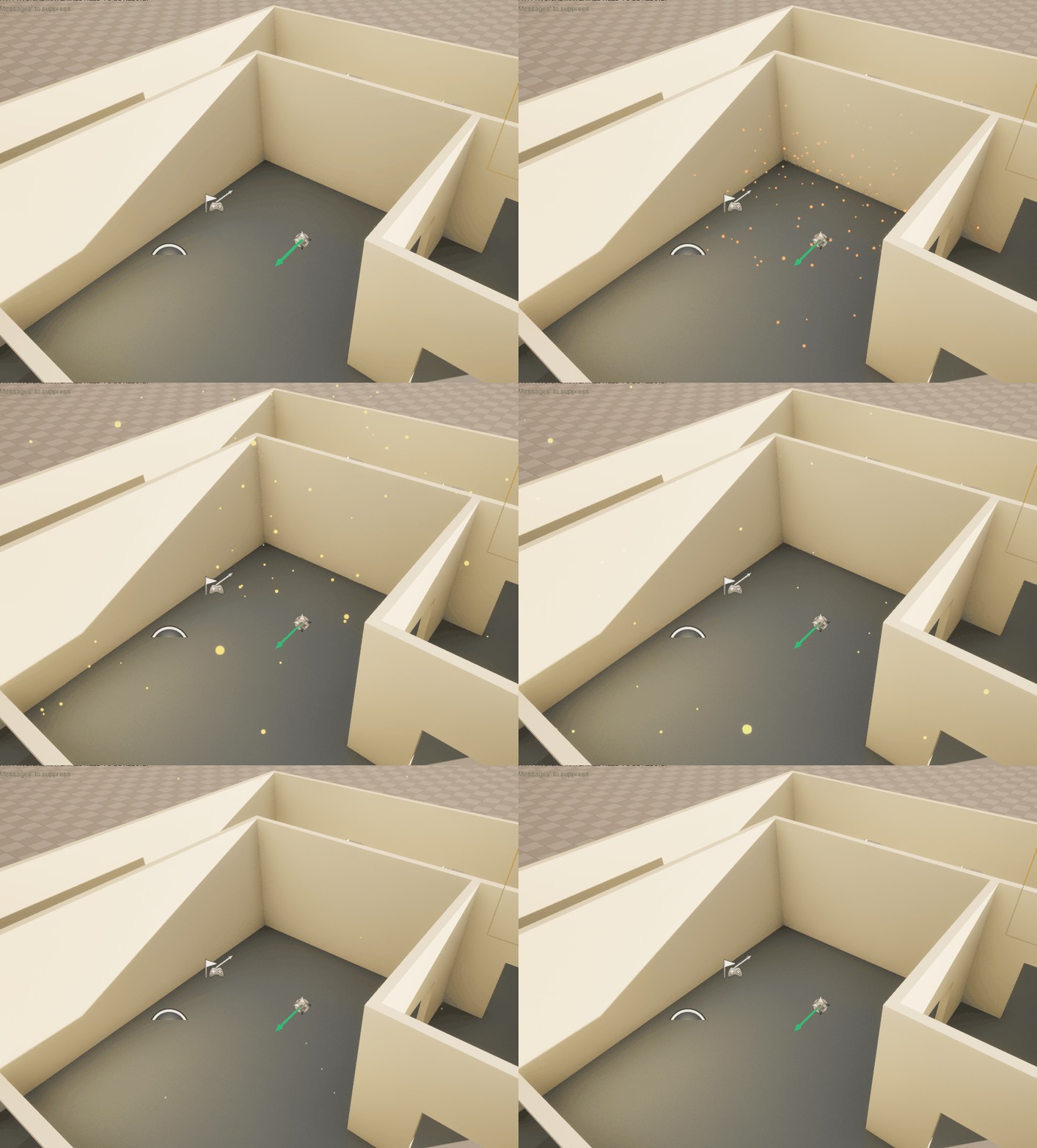
Setbacks: I had a hard time trying to create a trail effect from my particles. Since they move very fast and are quite small, I would like to have a trail that has a longer lifetime so that the user can see the path more clearly.
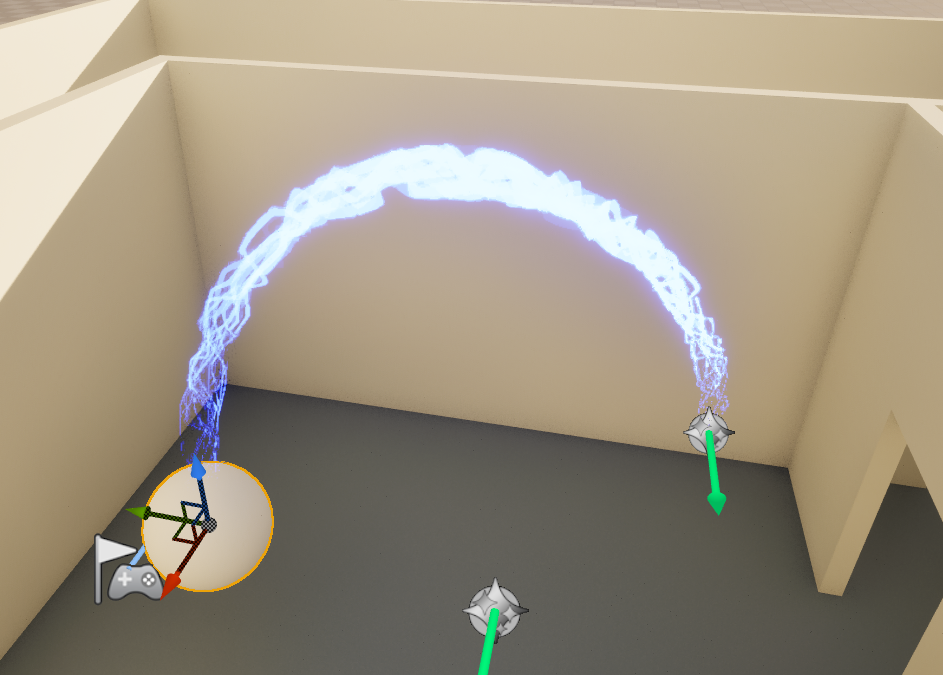
Process: I started out with a UE tutorial on beam particles and managed to get a not so useful, but cool effect. With a bit more reading of the documentation and some more tutorials on youtube, I learned how to connect two different particle emitters in order to inherit the particle's position and velocity for my trail effect.
Conclusion: In the end I think that a ribbon particle will work better for this project.Next step is trying to better control the start and end of each ribbon to better show the user the direction of the particles.
21. February 2024
Second day on the project. Today I continued to work on the particle system and its trail effect.
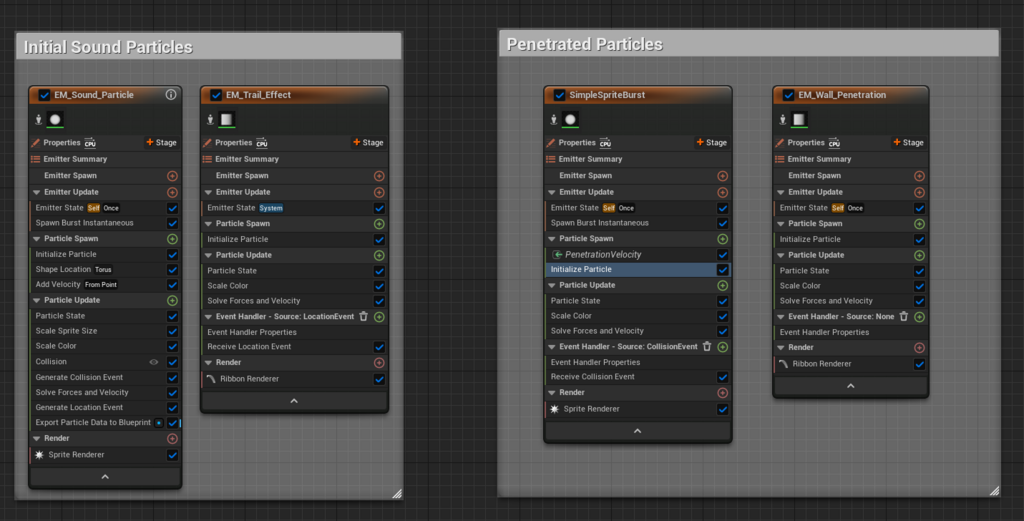
Progress: I got the trail effect to work mostly like I imagined. I learned how to better utilize the location event parameter in Niagara, and now my particles looks like this:
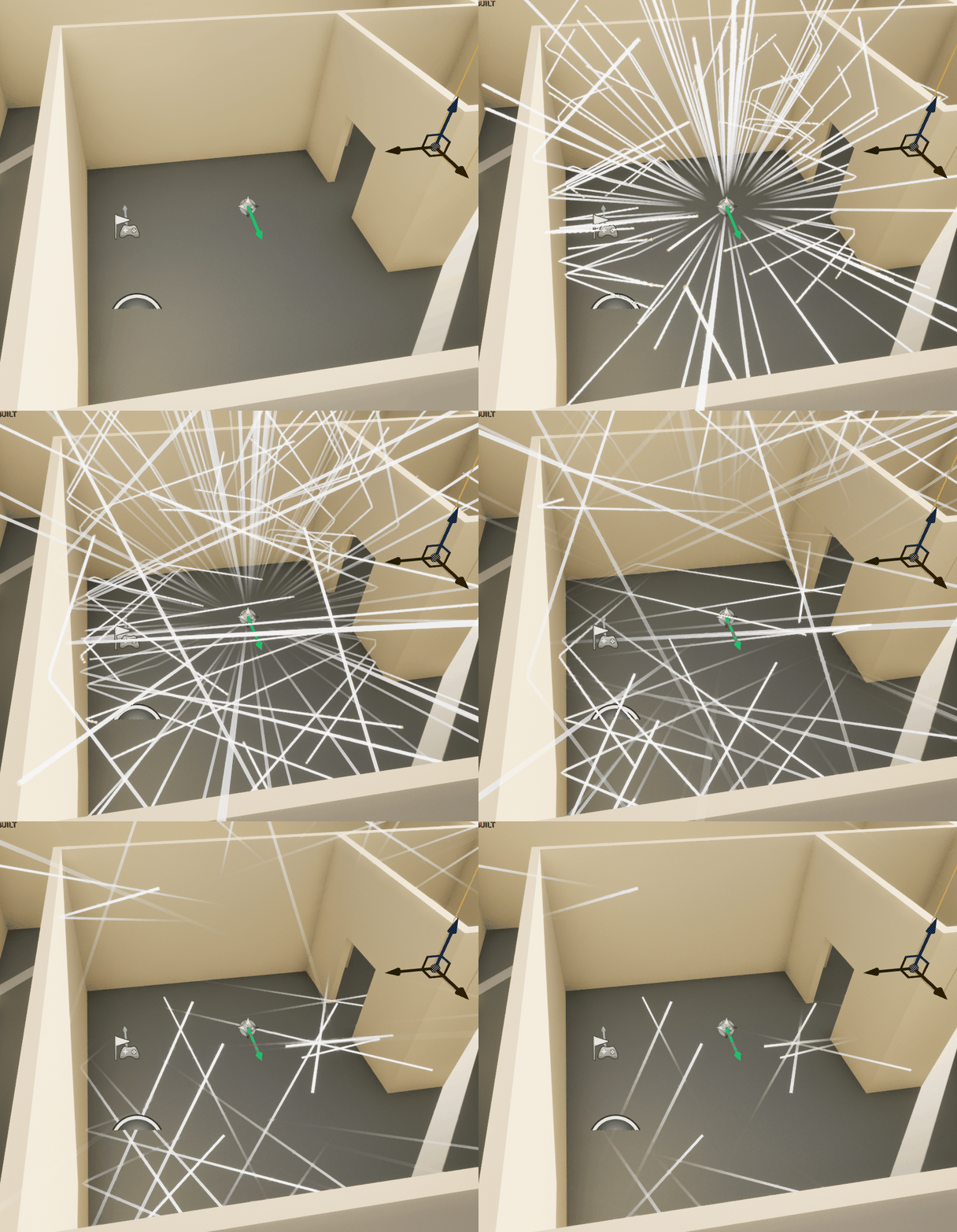
I also was able to implement additional particles that spawn after particles collide with surfaces. They do not work as intended yet but the progress is promising. The colliding particles are now represented by the magenta orbs that spawn on the collided surfaces. I also added a longer lifetime to the trails, so that they are easier to see.
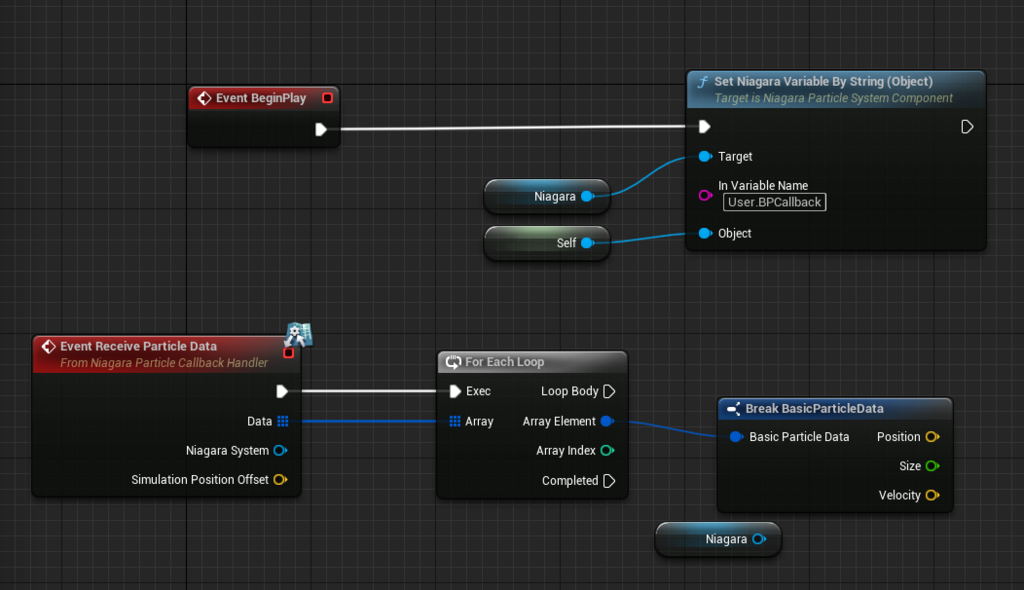
Setbacks: Not really a setback, but I had a hard time trying to find a way to manipulate the particle system through blueprints. I feel like the control that the regular Niagara interface presents is a bit limiting, but this is certainly because of inexperience.
Process: I am still at the stage of watching tutorials and reading documentation. I found a great tutorial that showed how to expose variables from a particle emitter to a blueprint script. This, I believe, will help me implement the features that I want more easily.
Conclusion: It was great to start working with Blueprints, it is something that I believe is a core functionality in UE5 that I would like to be more familiar with. I feel like I am proceeding at a good pace right now. Next week I will try and implement the additional features of my colliding particles and possibly start looking at UE5’s audio implementation.
28. February 2024
Third day on the project. A lot of setbacks today. I had a lot of problems trying to convert my Unreal project from a Blueprint to a C++ project.
Progress: I watched some tutorials and learned more about plugins and widgets in Unreal. I think this is something that I can utilize for the tool part of my project.
Setbacks: A lot of setbacks today. Most, if not all of today was spent trying to reconfigure my UE-project to be able to implement C++ files. The project somehow got corrupted while I was trying to configure Visual studio to work with Unreals API.
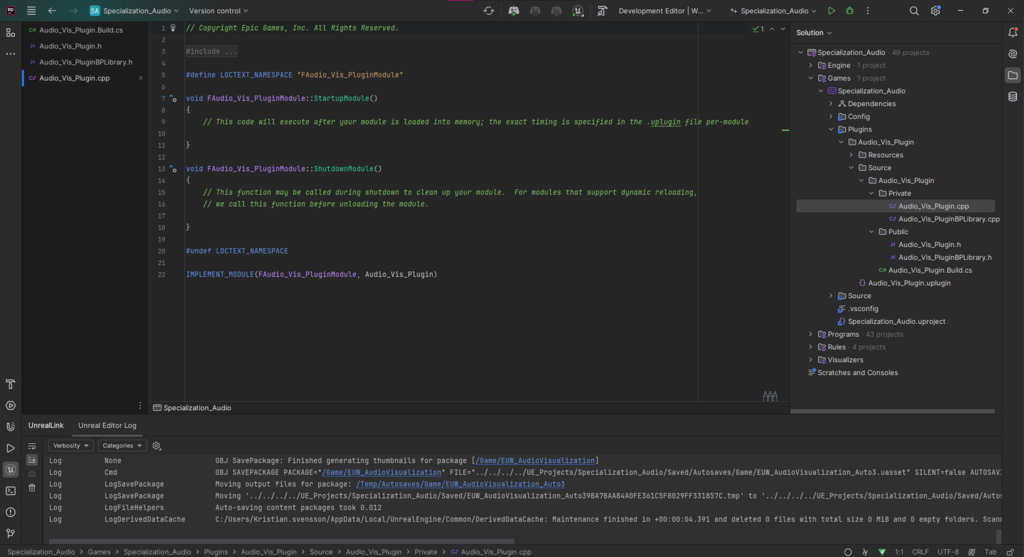
Process: With some help from my teacher, I was able to change IDE from Visual studio to JetBrains Rider. I also had to start a new Unreal project and move my progress from the old, to the new. Next, I started working on the UI of my tool.
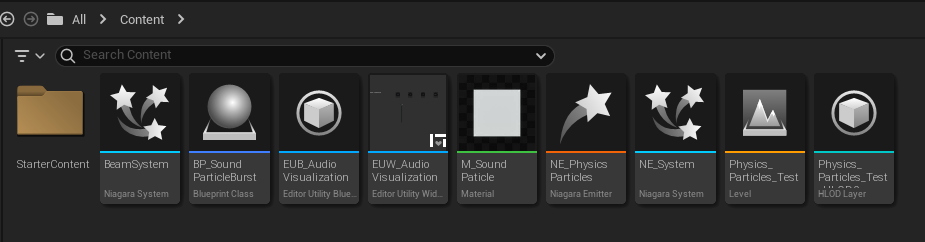
Conclusion: Not much progress this week. But now that I have a hopefully more stable build of my project, I should be able to make more progress tomorrow. After the first iteration of the UI is done, I should start looking into the features that my plugin shall implement.
05. March 2024
Fourth day on the project. Today I worked on getting the first version of the tool UI in the editor. The goal for today was to at least get a button to activate my audio visualization particle system. The next step is to implement the audio loading and playback function.
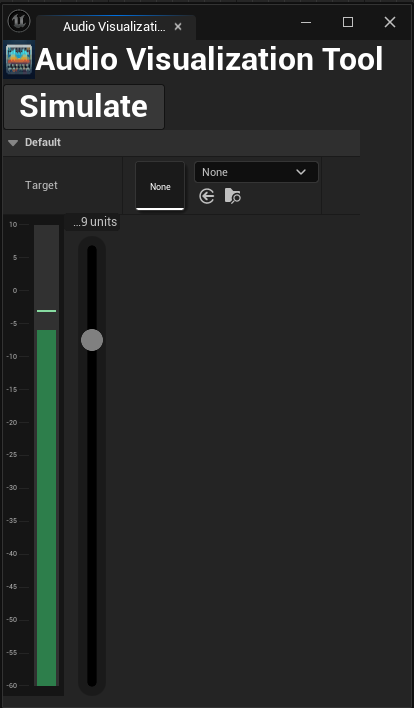
Progress: I managed to create a widget that creates a Niagara system on startup and a button for calling activate on said Niagara system.
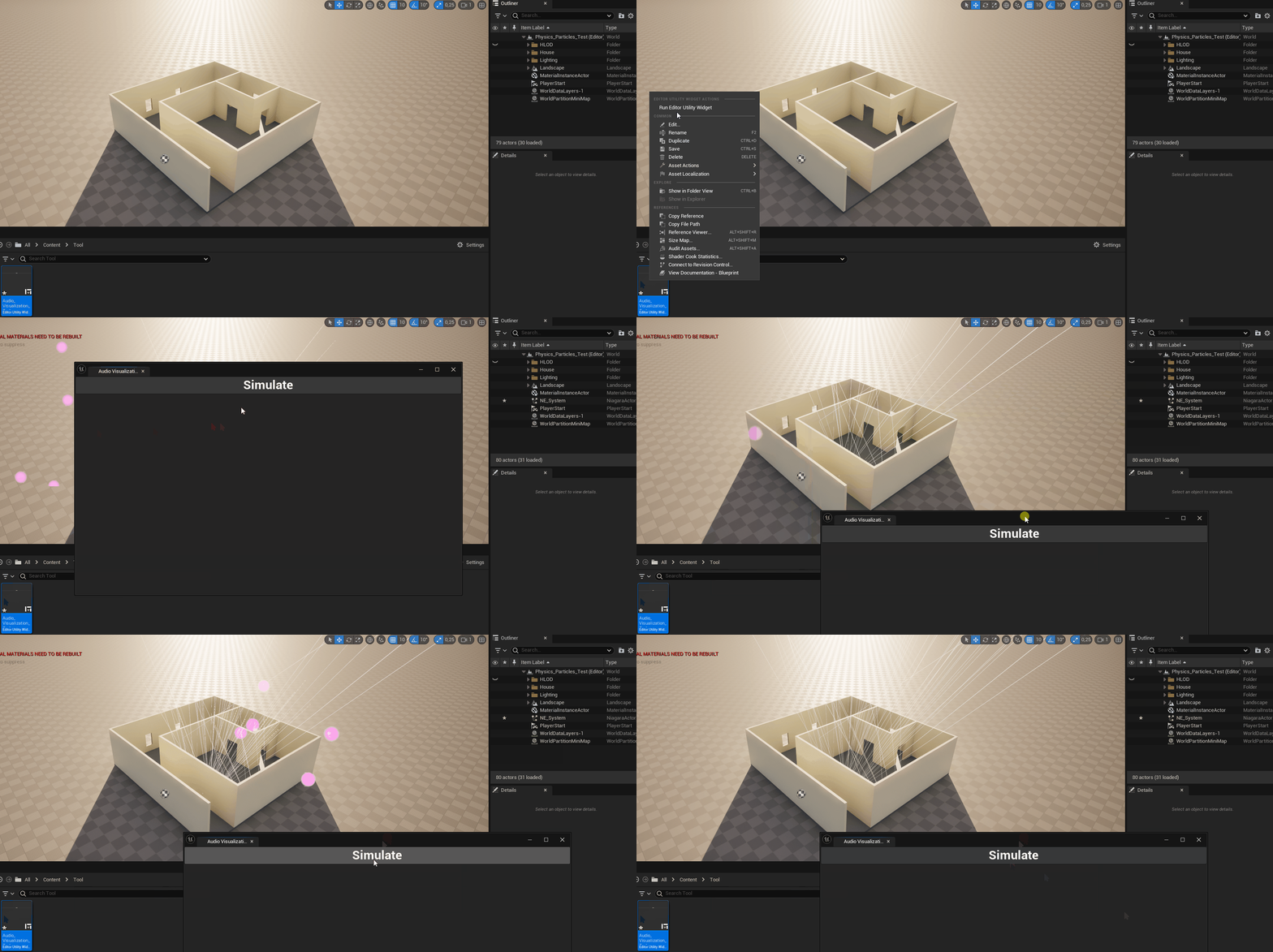
Setbacks: Not much of a setback today, other than I feel a little behind schedule. But now that I have gotten the project to start again, I feel like it should be easier from here.
Process: I watched more tutorials and read some UE5 manual articles to get an idea of how to create tool widgets in Unreal. I find myself often unchecking the context sensitive box in the blueprint node menu. I don’t know if this means that I am going about my solutions in a wrong way or that I feel more comfortable in deeper systems. I will have to wait and see.
Conclusion: It feels great to get the ball rolling again. I feel like my progress today was adequate for my planning. I will try and update my Git-repo with this new working version of my project so that I do not lose any more progress.
06. March 2024
Great progress today. I learned a lot about creating UI elements and implementing functionality. And I worked a lot on designing the UI and implementing core features.
Progress: The UI has gotten a real upgrade. I now have a button for selecting the initialized niagara system. The spawning and destruction of the system is now automatic. I am thinking of implementing a spawn audio instance at the location, so that the tool can actually be useful for development.
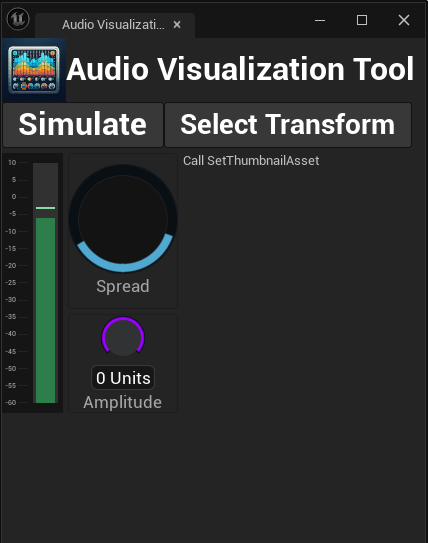
Setbacks: Not much of a setback today. I had some problems with the custom spread audio knob, but with a lot of trial and error and some help from a teacher, I got it to work.
Process: I got the spread knob to work by having two radial sliders on top of eachother and setting their start and end angles to have them create a combined full circle. This now helps to visualize the spread of the audio source.
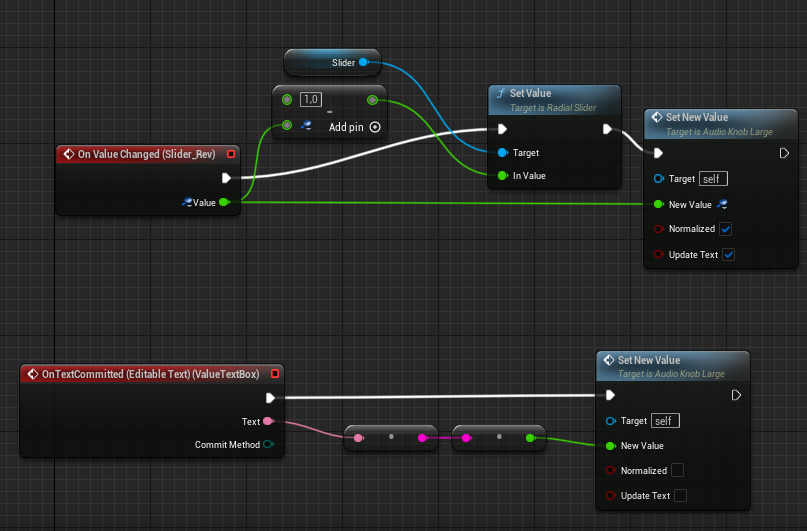
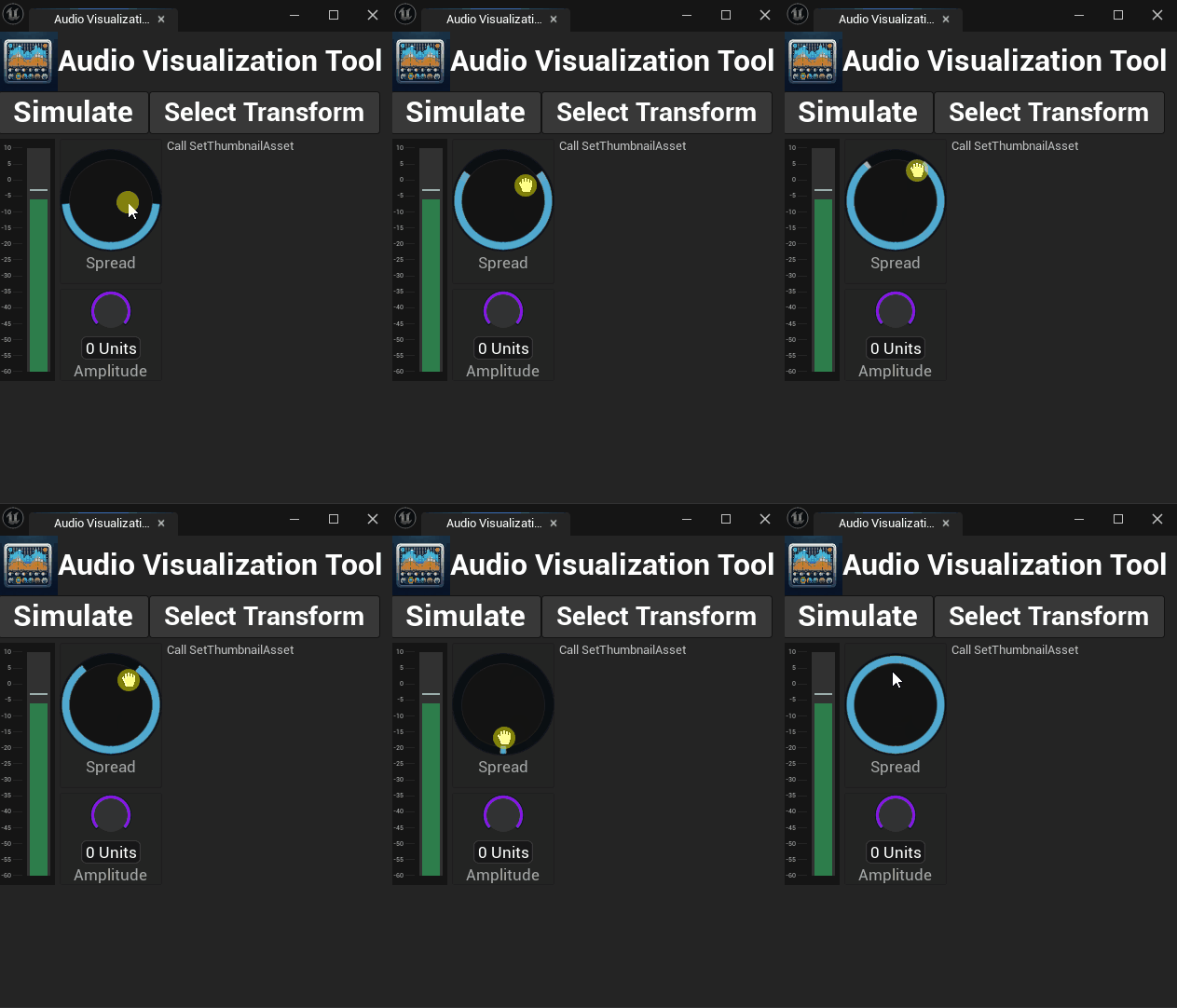
Conclusion: It feels great to see the tool take shape, it actually is starting to look like a real tool now. Next up is exposing the distribution variable in my Niagara system to my spread knob and actually have it do something. I am also trying to understand the asset thumbnail to load audio files via the tool
11. March 2024
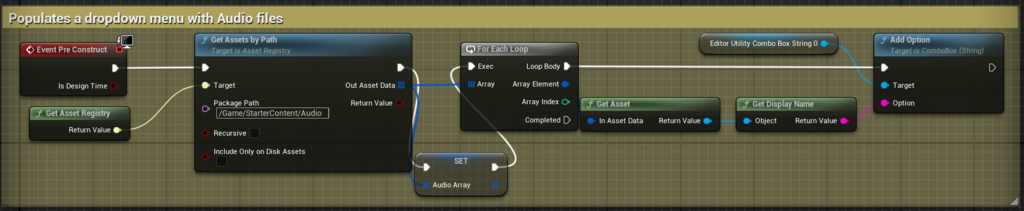
The project moves along at a good pace. I had a talk with my supervisor last week and they are positive about my progress. Today I worked on a drop down menu for selecting available sound files in the content browser.
Progress: I finished up my drop down menu that automatically updates the available sound files in the content browser. These are to be used in conjunction with a “place” button that spawns an instance of a Sound Wave at the position of the simulation and with its selected attributes.
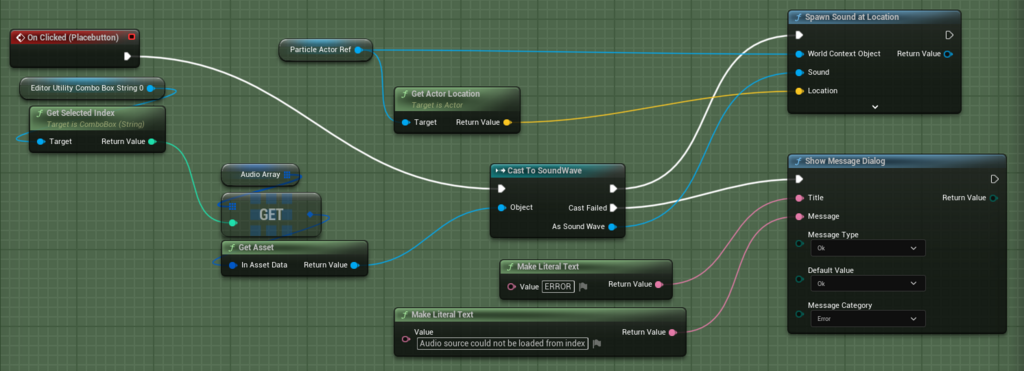
Setbacks: I have some problems with my git repo, it does not really upload all the files. This did not hinder my progress as I know the files are stored in my backup. But it is something that I will have to look into.
Process: I tried to emulate how we loop through files in my own designed asset viewer, but I find it hard to translate to UE’s blueprint system. But once I found the correct nodes, I got it working the way I wanted to. Since I was missing some files, I pivoted from implementing the spread knob to working with this.
Conclusion: I feel positive towards this project, I feel that with the time I have left I will implement most/if not all of the features that I wanted to implement.
18. March 2024
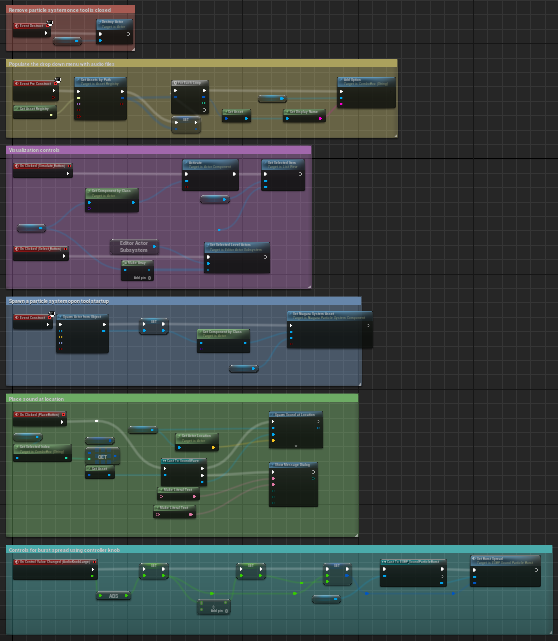
Mosty cleanup and refactoring today. I pivoted back to use a blueprint actor as my spawned visualizer actor.
Progress: Not really anything new today other than background functions and making the blueprints more organized. There are still some core functions that are missing, but I hope that this refactor will help with future implementations.
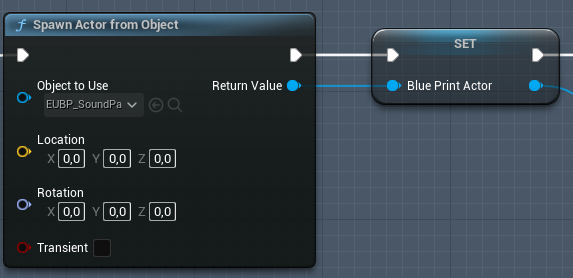
Setbacks: There are still so many things to learn about the Unreal work process. Some functions and features that are second nature for me in the other engines I have worked with are harder to find in this system. But I am making progress, and I learn about new ways to use the UE functionality every time I interact with it.
Process: More of trying to read documentation (the little I can find) and watching tutorials. I have also tried to do more on my own and not put too much trust in the tutorials. This may take some more time, but I feel that it will help me explore and learn more features in the engine.
Conclusion: I feel like I understand more and more of the flow while using blueprints. My only concern is that I do not know if I learn how to use it "properly" or if my solutions are bad, but functional.
Lorem ipsum dolor sit amet, consectetuer adipiscing elit. Aenean commodo ligula eget dolor. Lorem ipsum dolor sit amet, consectetuer adipiscing elit leget dolor.
19. March 2024
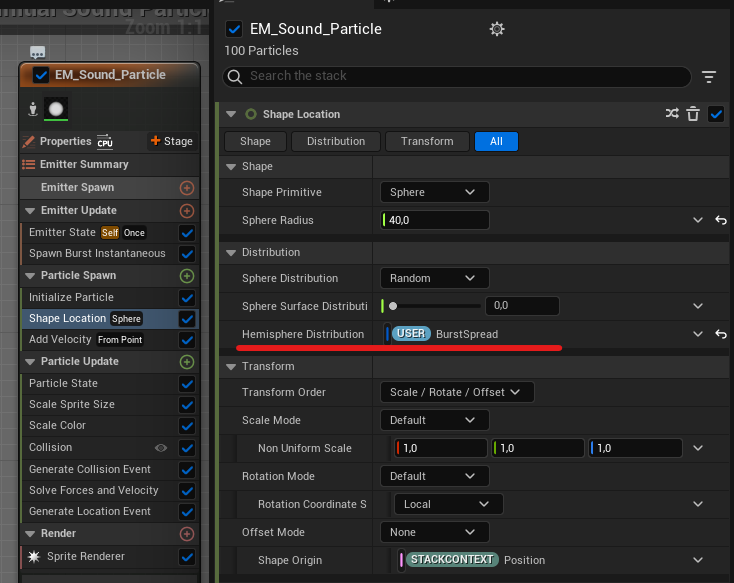
Today I finally got the ParticleSpread-knob to work.
Progress: The ParticleSpread-knob now works, which means that my user parameters in the Niagara system also are verified to work now. This will help me with future functions such as the wall-penetrated particles to simulate sound through materials.

Setbacks: I am pleased with how the knob looks although I do regret using a user made asset, since I had to trust that the functions of the knob was properly implemented. Which led to a lot of unnecessaryconfusion and frustration.
Process: Just a lot of trial and error, I created blueprint functions for get and set on the knob's values and was able to link that to a user parameter in my Niagara emítter.
27. March 2024
I believe that all my expected features are now in the tool in at least their first iteration. I got the sound spawning button to work and the volume slider now sets the volume multiplier of the sound source as well as setting the burst speed of the particle system in order to simulate sound particles moving with a force.
Progress: The sound spawning feature now only shows soundwave files so that unsupported files does not fill up the list and cause unnecessary errors. The volume slider now works with both setting the volume muliplier value on the AmbientSound object in the scene and sets the burst speed of the niagara particle system.
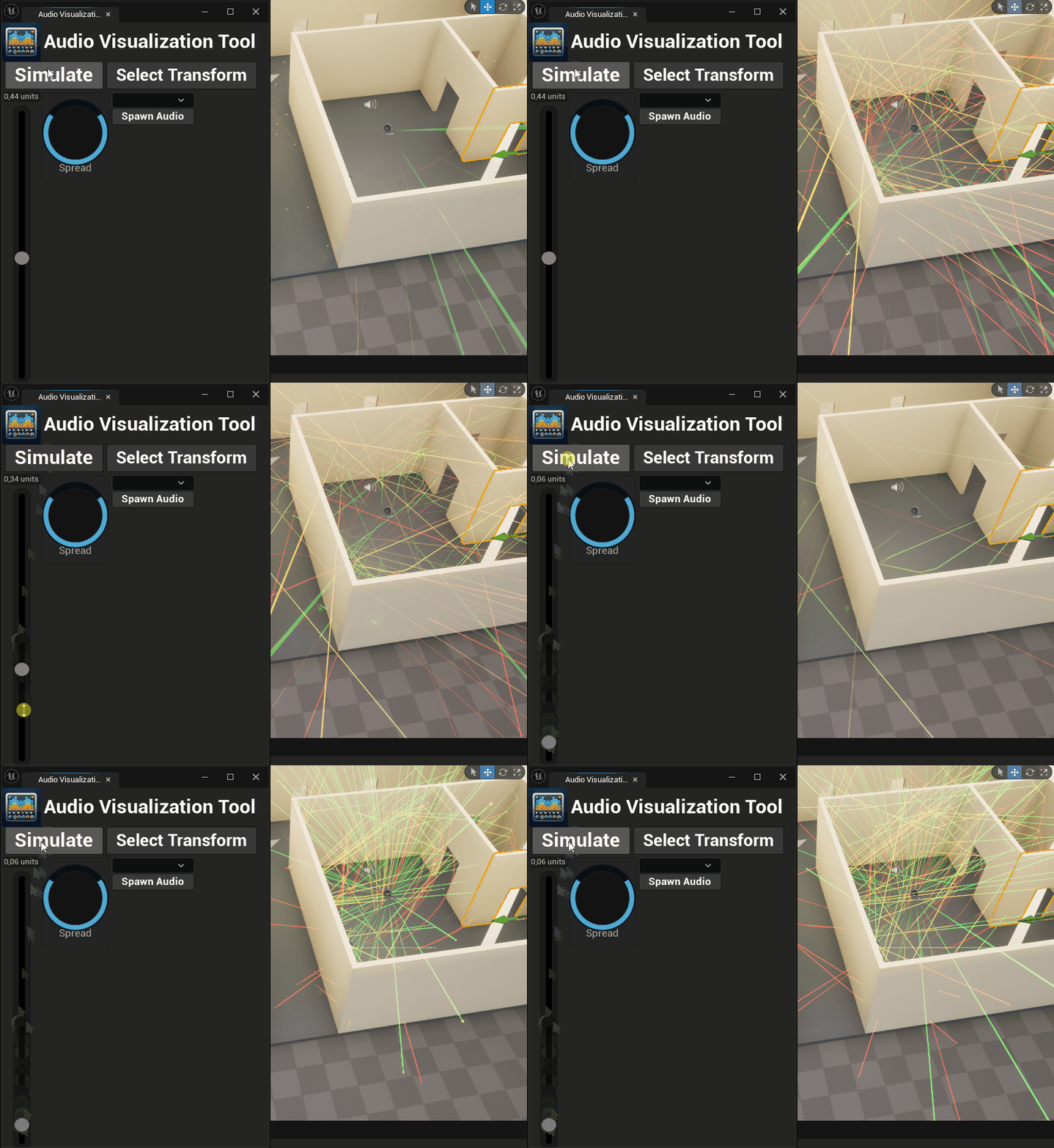
Setbacks: Mostly progress today, no real setbacks. The only thing that I have struggled with for a while is the penetration particles that is supposed to spawn on the other side of a wall once the original particles hit the wall with a big enough force. It turns out that the solution that I found to implement this was only possible in the actual game, not in editor.
This is how it looks today:
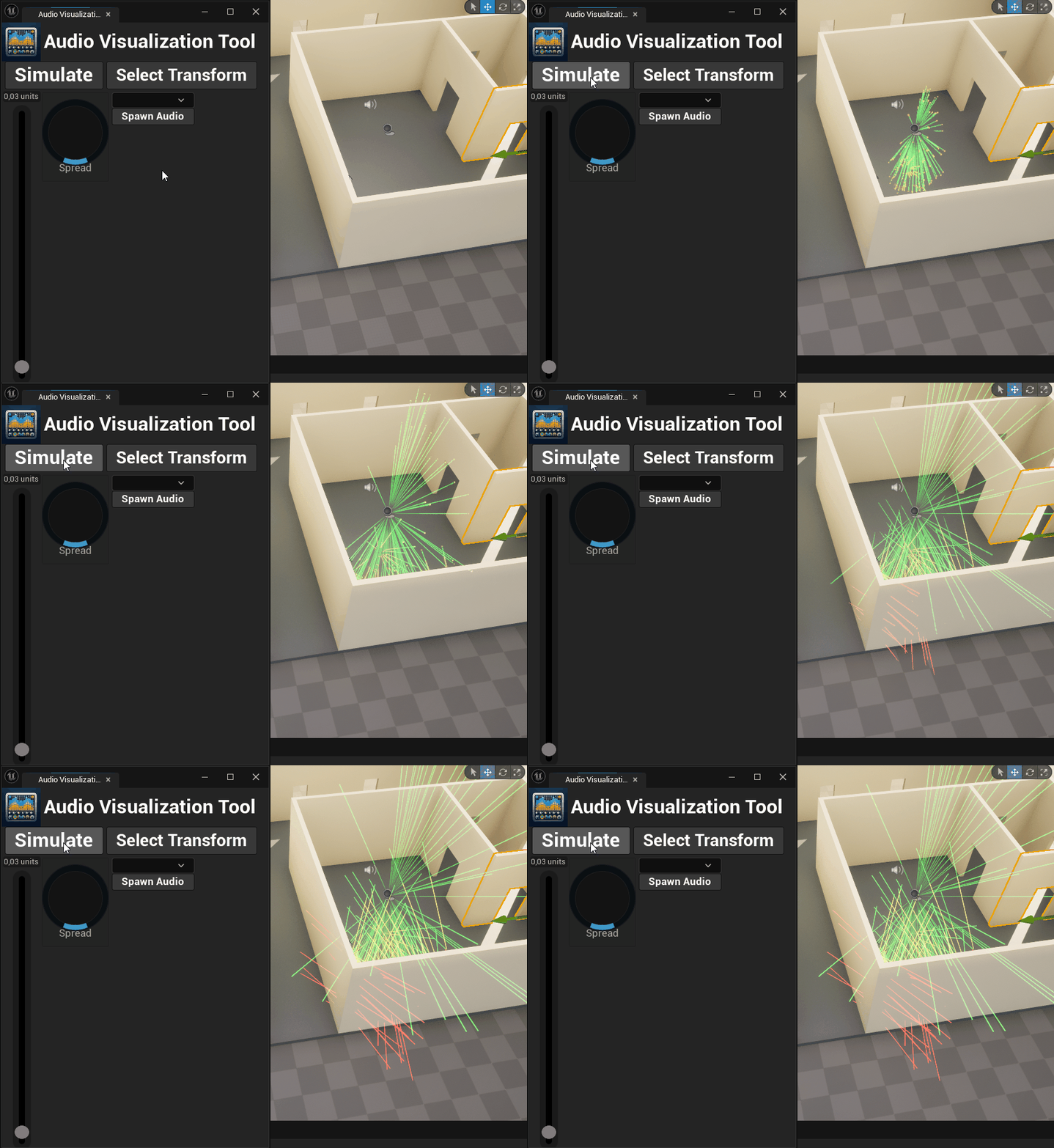
Process: I removed the audio meter since the audio only plays with the correct volume during gameplay and not in editor. I also changed the volume knob to a slider, partly because it was easier to work with and because it looks more familiar to a real audio control surface an Audio Engineer would use. I learned from my previous work with the spread knob how to set and get the values from the slider which made the process much faster and easier.
Conclusion: It feels good to be on track with my planning. Now I have about a week to polish on the features I have already implemented. In a way it was good to realize that the thing I have worked so hard to implement, is not possible in the way I want. This means that I can let that one go, and focus on another solution.
I think that the next thing to focus on is to make the particle more readable, I want to start with making their collisions limited to one or two.
28. March 2024
Today I worked a lot on the actual audio implementation and manipulation in my tool.
Progress: I was able to set the shape and angle of my spawned audio's attenuation. This can be manipulated using my burst spread knob. As you set the angle of the particle spread, you also set the angle of the sound attenuation cone, so when you spawn the audio source you get the same settings as the símulation.
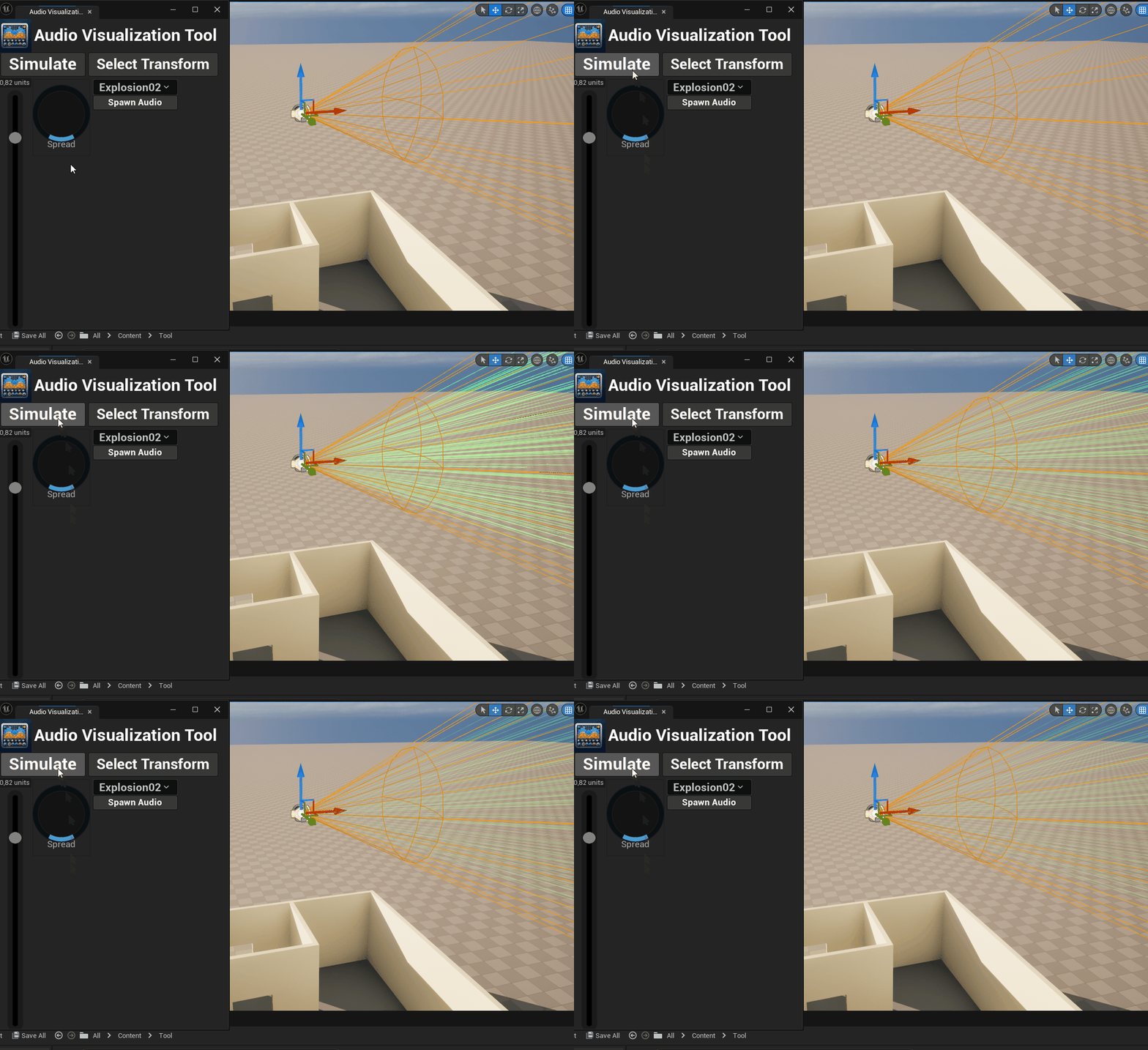
I also got a better version of the penetrating particles to work. Now the velocity of the penetrating particles is reversed which means that they all converge. This needs to be fixed, but otherwise I am pleased with the result.
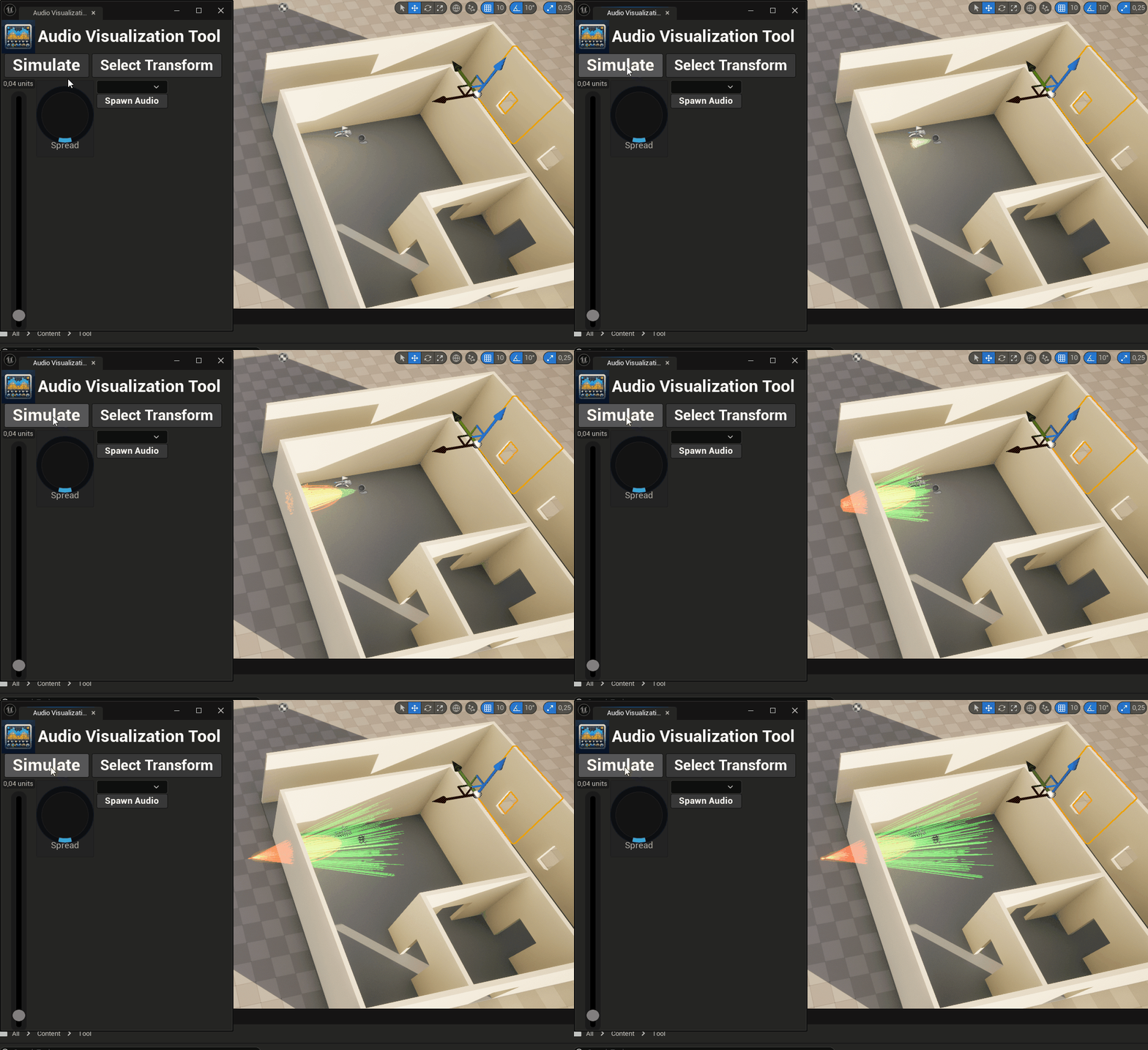
Setbacks: One major setback is that my red particles are always starting from world zero after they are created, this is something that I have to look into.
Process: I did not find a way to initialize the red particles with a velocity that matched the green ones before collision, but when I inverted the velocity I got the result that you can see above. I feel like I am on the right track.
Conclusion: I am soon done with the tool I wanted to create. most of the features are in, in some stage. Next up is fixing the velocity problem as well as the starting from world zero bug.
01. March 2017
02/04-24
Today I finished with all the features that I set out to implement. I solved some of the issues that I had previously and I am really pleased with the result.
Progress: I solved the problem with the velocity of the penetrated particles and the amount of collisions the green particles are allowed, so that it does not look as busy.
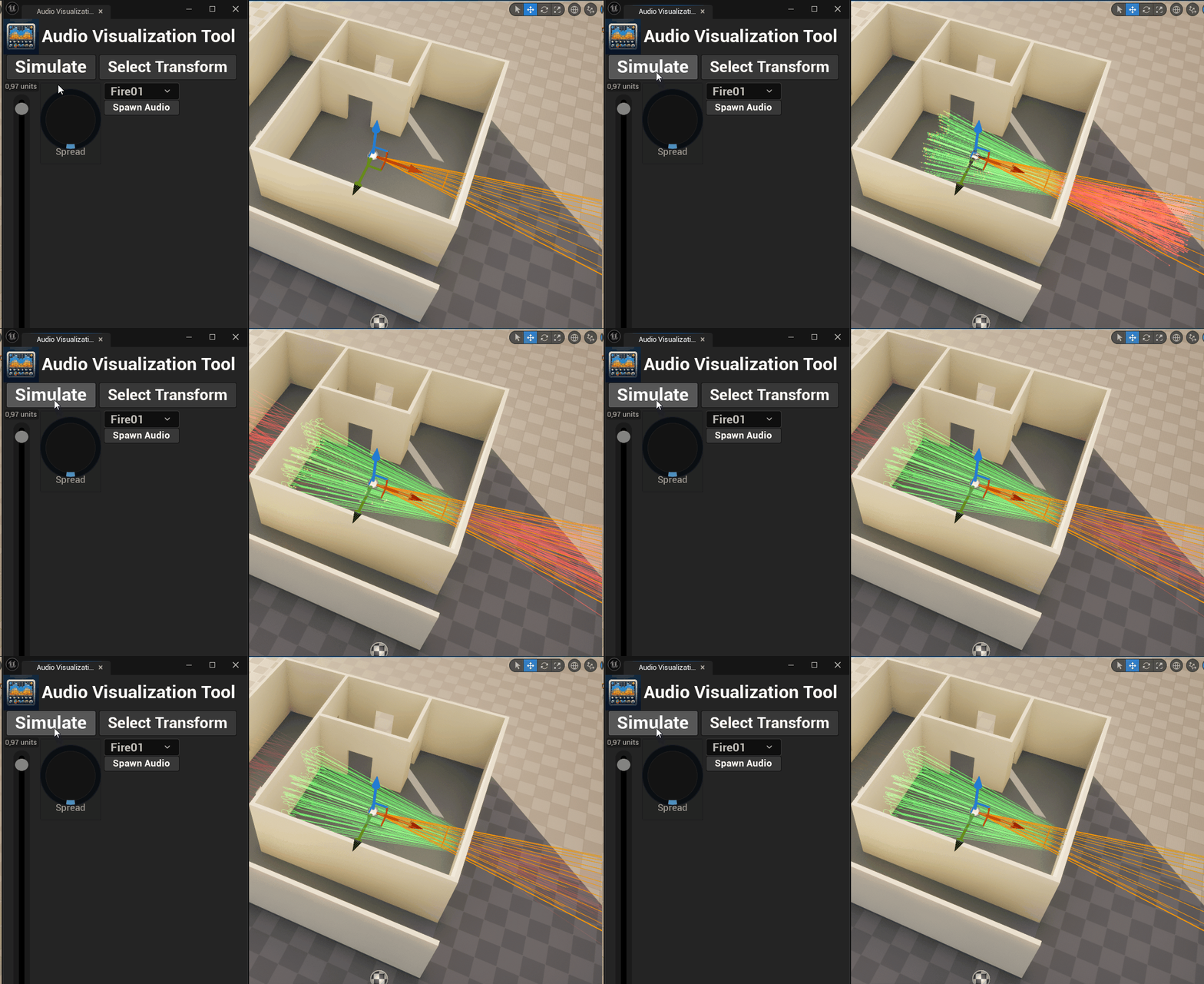
Setbacks: No real setbacks today. I am pleased with my progress and have achieved what I set out to do initialy. Of course there can be improvements, and you can read about them in the main page.
Process: Today I really took my time and read through all the settings of my particle emitter and found out how I was going to implement the features that I wanted. I was able to set the staring point of the red particles as their local transform position which fixed the world zero bug from last time. And in the collision event of the green particles I found the setting to limit the amount of collisions.
Conclusion: I am really happy with the result. The ribbon particles can be a bit random and yanky at times, but for the most part it looks like I envisioned it.